Portable Deployment in version 9

I'm having some issues with portable deployments in version 9.
In versions 5 & 8, I just have a folder for each version with the executable inside it, along with folders for plugins, queries and snippets. This 'just works' and in both cases, for example, my snippets are picked up from where they should be.
In version 9, however, I've added the similar folder structure, in my Linqpad9 folder, along with the executable, but when I run it, it does not find the snippets until after I run My Extensions file. If I close and open Linqpad9, I have to run the My Extensions again before the snippets are recognised.
In the 'Folders' area of the settings, all of the Custom Location options are greyed out, no matter where I chose my Settings to be.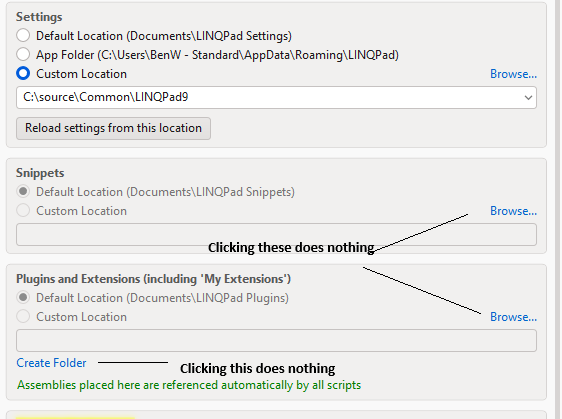
Am I missing something obvious?
Comments
-
A little more information.
When I open LINQPad 9, hitting Alt + Shift + Y gives me this:
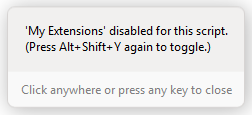
Hitting Alt + Shift + Y again immediately fixes the problem - snippets become available.AI within LINQPad suggests that I should then hit f4 and press Set as Default for new scripts, but this doesn't solve the problem. Close and open LINQPad - no snippets.
The other way to 'fix' the issue is to toggle to App Folder in the Folders dialogue box and back again - I'm then given the option to 'Reload Settings from the Location' which again enables the snippets.
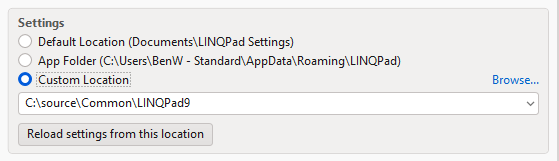
but only for the lifetime of this LINQPad sessionI think all of this points to My Extensions not running by default when I open LINQpad - but I still can't work how to get it to run when I open LINQPad 9 for the first time.
-
I've also copied the portable folder to another machine, which also has Linqpad 5 and 8 portable versions and it works fine on that, so it's something specific to this machine.
I've spent a couple of hours trying to diagnose the issue with embedded AI but nothing we've tried has made any difference. -
Looking into this now.
-
Thanks Joe - FYI with CoPilot's help I monitored the following directories when toggling My Extensions on and off and then restarting LINQPad and we saw no difference in any of these locations:
· PortableRoot (C:\source\Common\LINQPad9)
· LocalAppData (%LOCALAPPDATA%\LINQPad)
· RoamingAppData (%APPDATA%\LINQPad)
nor in any of the loactions in any of these reg keys:
· HKCU\Software\LINQPad
· HKCU\Software\Albahari\LINQPad
· HKCU\Software\Albahari\LINQPad9
· HKCU\Software\Microsoft\EdgeWebView\PreferenceMACs\WV2Profile_linqpad
· HKCU\Software\Microsoft\EdgeWebView\PreferenceMACs\WV2Profile_linqpad\extensions.settingsOther settings (eg default editor font) are persisting, but the My Extensions enabled setting remains stubbornly off.
Happy to provide any more information you need.
I did start with Linqpad 5 & 8 as installed software initially on this machine and then uninstalled and moved to portable deployments, in case that's useful information.
-
By "snippets", do you mean code snippets in your snippets subdirectory, which appear when you press Ctrl+K, X, or are you referring to something else?
Also, changing the Settings folder to the location of your portable installation is not really supported (although it shouldn't cause the problem you describe). Instead, just create a file called RoamingUserOptions.xml in your portable directory - see https://www.linqpad.net/PortableDeployment.aspx. This will then be picked up automatically.
-
Yes, by snippets, I mean those snippets which appear when you type Ctrl+K, X, or when you type the 'shortcut' to that particular snippet. These do not become available until I toggle My Extensions on and off.
I only changed the 'Settings' to a different location whilst trying to get the portable installation to work - it makes no difference what Settings location I choose - Snippets don't become available until I toggle My Extensions on and off.
There is already a file RoamingUserOptions.xml in my portable user folder:
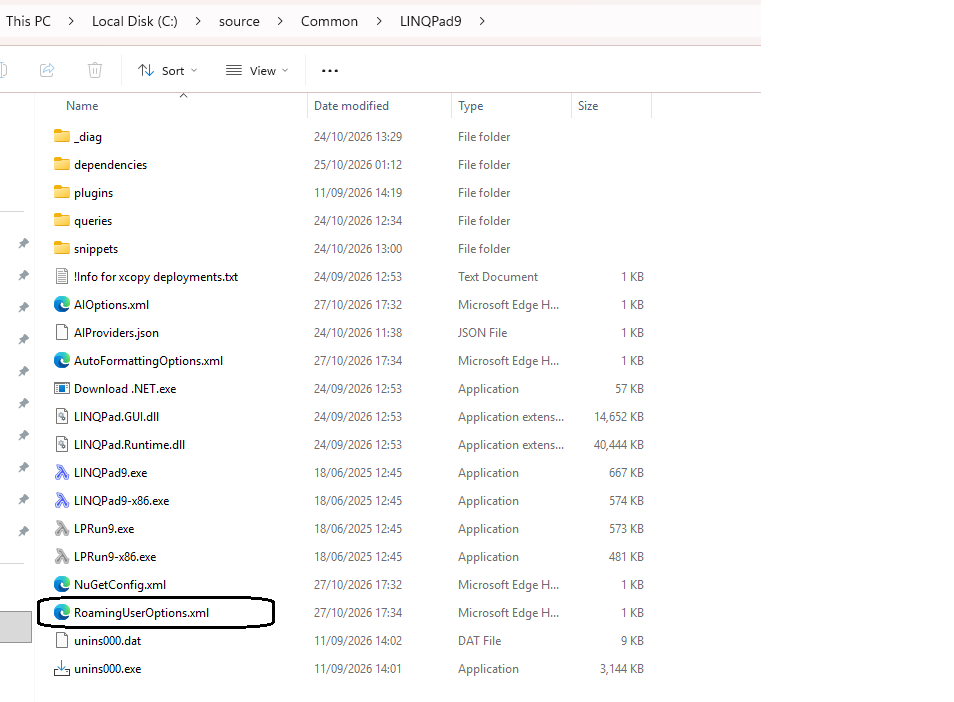
with this content: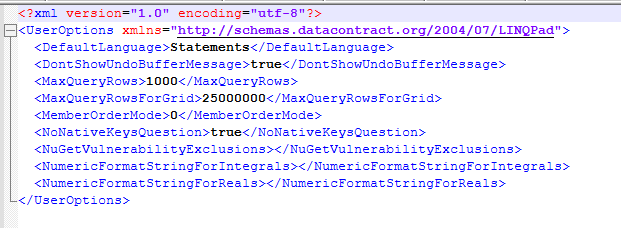
I did not create this file myself.
Anything else I should be looking at?
-
This is a really tricky one. Can you please provide some more info:
- On a fresh start, before any My Extensions toggle, does Ctrl+K,X open the snippet picker and show "Built-in C# Snippets"?
- And on the fresh start, does typing
Console.show a completion list at all? Doesint x = "a"get a red squiggle? - Does typing a shortcut and pressing Tab expand it, without waiting for a list?
- Please show any recent entries in %LOCALAPPDATA%\LINQPad\Logs.LINQPad9\log.txt, and say whether running My Extensions reports any errors.
- Close LINQPad, delete %LOCALAPPDATA%\LINQPad\MyExtensions, restart, and report whether the problem is gone.
-
Hi Joe,
having gone through each of the questions in turn, I discovered something when writing the answer to the last question.Here's what is actually happening - running MyExtensions turns out to have been a bit of a red herring. There's something else going on which is 'activating' the snippet shortcuts, not just the My Extensions toggle.
I open LINQPad 9.
I type (eg) "cw" for Console.WriteLine().I immediately notice that 'Language' dropdown flashes yellow very briefly and changes from c# statement to c# expression and the icon highlighted below disappears.

The "cw" snippet does not do anything.
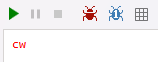
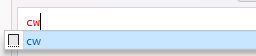
I then delete the two letters "cw" and type them again and the snippet immediately becomes available
I then compared this behaviour with Linqpad 5 & 8.
In both of these, the snippet becomes available as soon as you open the program.I then noticed that in both 5 & 8, the default language was set to "C# Expression", wheras in 9, it was set to "C# Statement". I don't know whether I made this change or whether it is a new default.
I have changed the default language in 9 to "C# Expression" and now the snippet shortcuts are immediately available.
Apologies for leading you down the garden path re portable deployments, and also apologies if this expected behaviour - I'm happy now I know how to resolve the issue. There's definitely something going on when the program switches from Statement to Expression, but I'm happy now that I know how to get my snippets working as they are in daily use and we rely on them a lot for our everyday work.
-
Thanks for the info. I'll look into fixing this glitch for the next build.
