Script errors not gracefully handled in latest beta

It looks like the latest betas are not handling script errors like it did before.
Util.JS.Run("throw 'error!'");
If an error occurred within results panel, typically what used to happen is the text of the error message is added to the end of the page in red. (can't get a screenshot from a previous beta)
The initial release version would show the typical exception box.
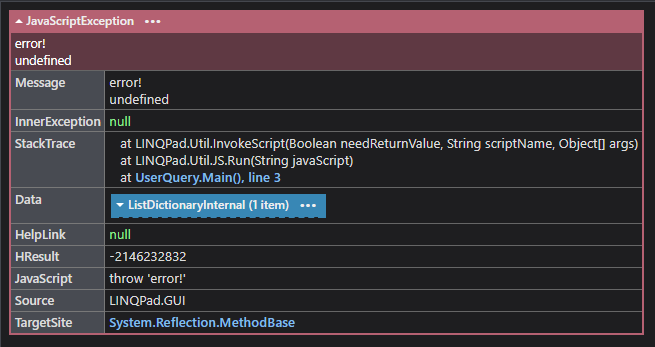
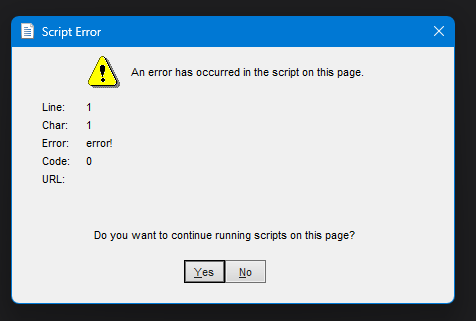
However now in the latest beta (v9.7.9), it's popping up the script error dialog.
Comments
-
Just in case, my actual use case was loading some resources (bootstrap) from domains blocked from my work firewall (jsdelivr.net).
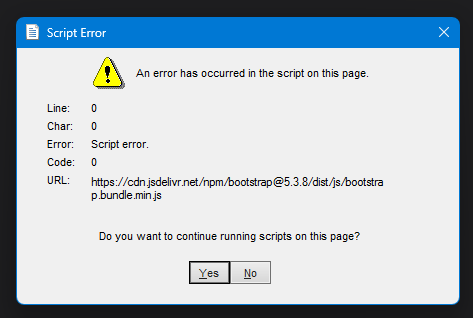
Trying to grab screenshots and it's now randomly showing as expected.
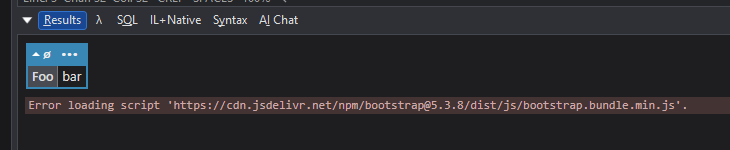
It was having trouble loading scripts initially apparently not running any, then retrying a bunch of times eventually ran it. I saw the first line a lot.

Other observations:
It seemed like the WebView2 "runtime" didn't load at times. Right clicking would show options like "Inspect" among other things. But at times, it was showing IE related options.
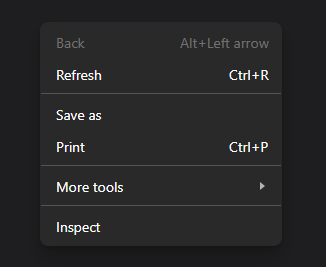
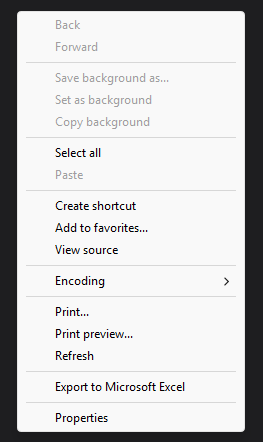
It looks like it WebView2 was failing and falling back to the old IE engine. And running this script a lot, it's hanging a lot for me actually. It seems like it only does so when the url points to valid content and the domain is blocked. If it's an unblocked domain or otherwise an invalid resource, it completes quickly.
Util.HtmlHead.AddRawHtml("""
<link href="https://cdn.jsdelivr.net/npm/bootstrap@5.3.8/dist/css/bootstrap.min.css<added text to cause it to fail>" rel="stylesheet" integrity="sha384-sRIl4kxILFvY47J16cr9ZwB07vP4J8+LH7qKQnuqkuIAvNWLzeN8tE5YBujZqJLB" crossorigin="anonymous">
""");
Util.HtmlHead.AddRawHtml("""
<script src="https://cdn.jsdelivr.net/npm/bootstrap@5.3.8/dist/js/bootstrap.bundle.min.js<added text to cause it to fail>" integrity="sha384-FKyoEForCGlyvwx9Hj09JcYn3nv7wiPVlz7YYwJrWVcXK/BmnVDxM+D2scQbITxI" crossorigin="anonymous"></script>
""");
Util.JS.Run("throw 'error!'"); // hangs here
Ok really weird stuff, opening devtools and clearing the cache, the blocked bootstrap stuff was able to load successfully bypassing the firewall. I guess good for me. 🤔