"Show Explorer Trees" Custom Keybinding Change Not Reflected in UI

Hi Joe,
I'm on LINQPad v9.9.10 beta (x64). I changed the shortcut for "Show Explorer Trees" to Ctrl+B, and set the default Shift+F8 to None. After restarting, the new shortcut works as expected, and the default shortcut is silent as well, but the UI does not reflect the new setting.
I tried the "Search LINQPad" button, and it works fine.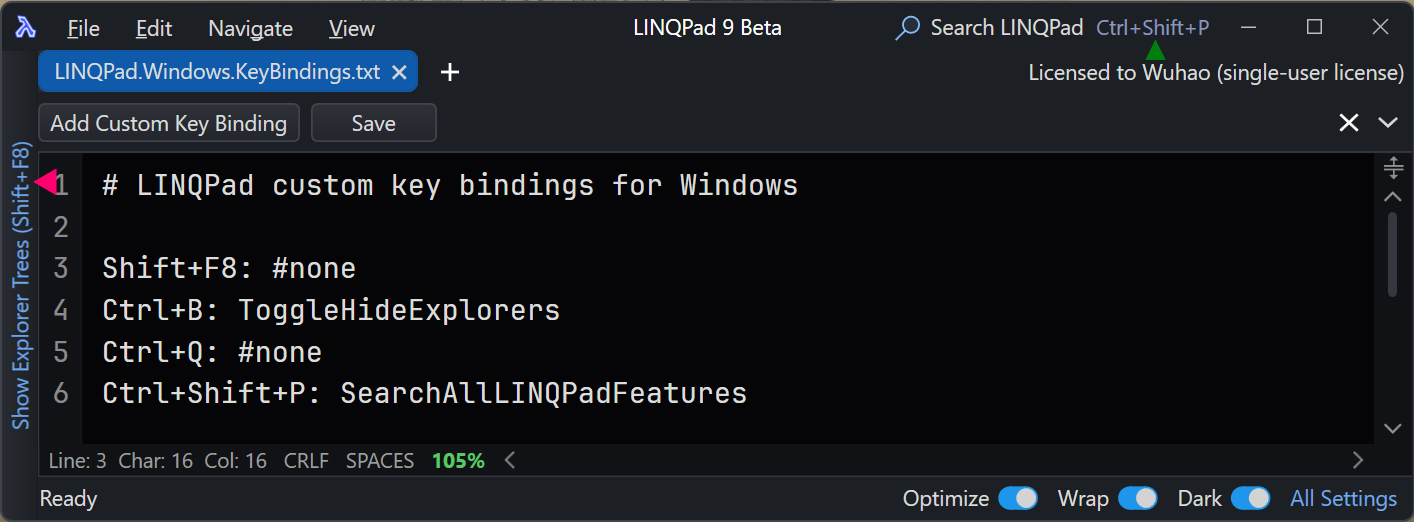
It's a minor UI inconsistency — please fix it at your convenience.
Thanks!
Comments
-
Thanks - I'll a fix into 9.10.x.
-
Fix confirmed, great job! Thanks!
-
I'm using LINQPad 9.10.2 beta and found a minor UI bug:
I changed the shortcut for "ToggleHideExplorers" from Shift+F8 to Ctrl+B, and set Shift+F8 to None. Both the shortcut and UI display work perfectly.However, if I close the program while "Show Explorer Tree" is in a collapsed state, upon restarting, "Show Explorer Tree" shows Shift+F8 instead of Ctrl+B. The shortcut itself still functions correctly — pressing Ctrl+B toggles the Explorer sidebar, while pressing Shift+F8 does nothing.
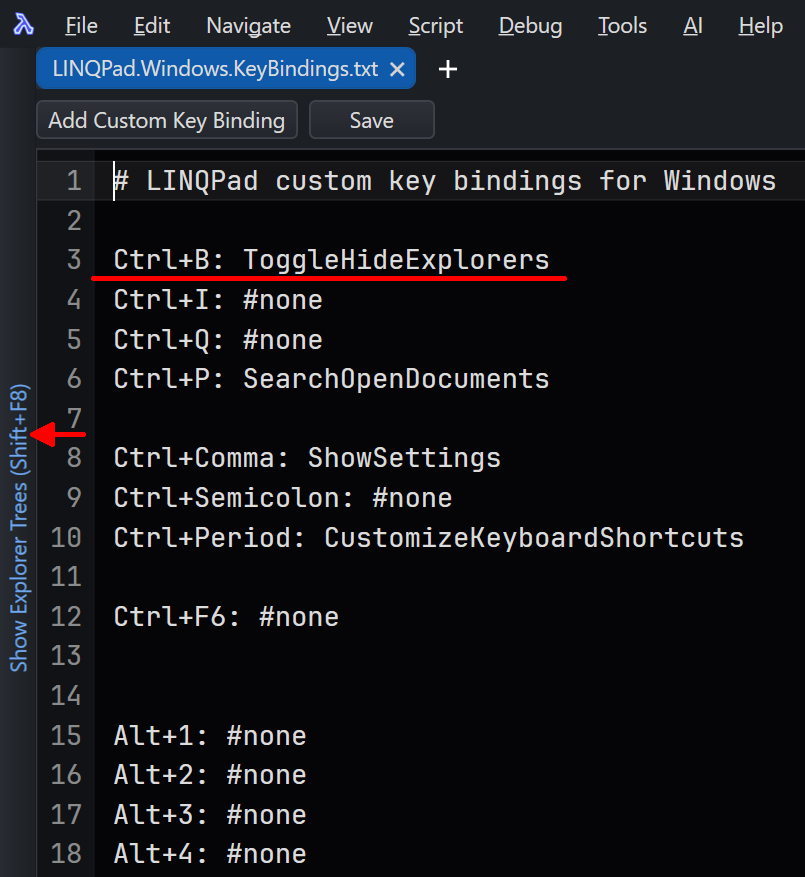
After using Ctrl+B to hide and show the Explorer sidebar, "Show Explorer Tree" displays Ctrl+B as expected.
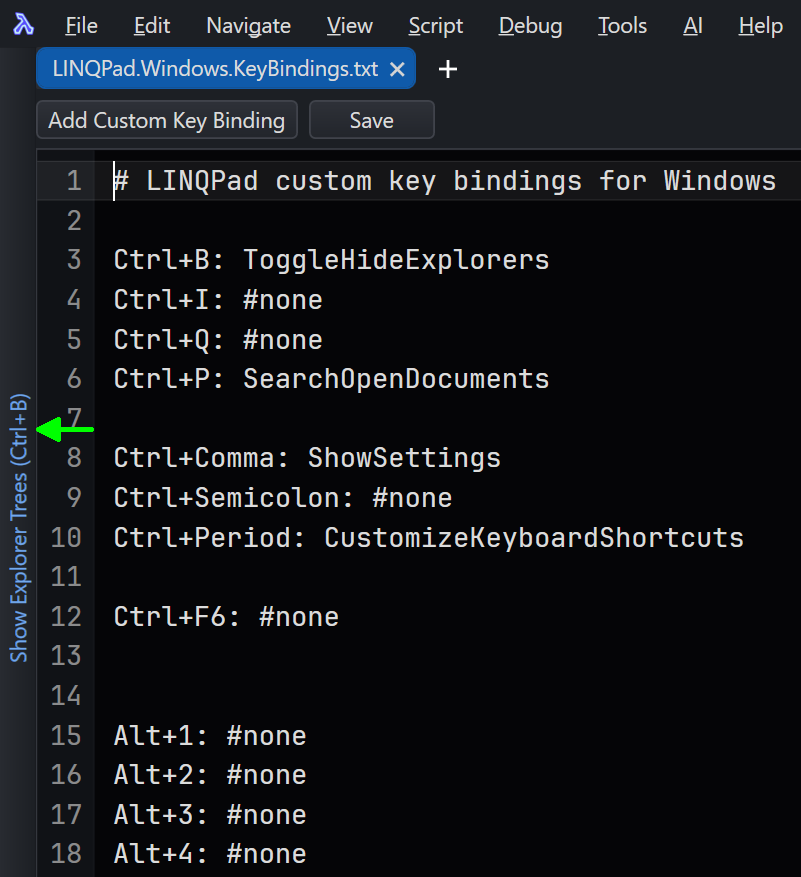
I guess there's a minor bug in the UI initialization.
-
No worries - will add a fix.
