Claude Code and bold text.

I was working with Claude code and found it hard to read part of its responses as it was light gray, for example

It fixed this issue for me by adding instructions to itself not to use bold text in the claude.md file. (I have included the claude.md that it wrote (renamed to claude.txt) in case it helps.)
But then it went on to say -
The underlying bug is LINQPad's, not Claude's: xterm.js is substituting bright colours for bold. If you report it, drawBoldTextInBrightColors: false on the terminal instance is the one-line fix, and it would let you use bold and headings normally again — at which point the CLAUDE.md rule can be deleted.
Comments
-
Did you switch between light and dark themes while Claude Code was active? Claude Code doesn't support external theme switching mid-session; you must either restart the CC session or type /theme into CC to switch to the correct theme.
-
I didn't switch themes in LinqPad and didn't doing anything in CC until after the problem occur. Then I tried switching themes using /theme in CC but did not find any that worked well and started to see if I could create a custom theme, but gave up and asked Claude to fix it for me.
Linqpad is set as System and uses Light mode and CC was also using Light Mode.
-
What version of Claude are you running? And can you post an entire screenshot?
Also try temporarily renaming/deleting your settings files in ~.claude
-
I've deleted the settings files in ~.claude and also LINQPad Settings\Claude\claude.md and started this new session
Claude Version 2.1.220
Linqpad v9.10.12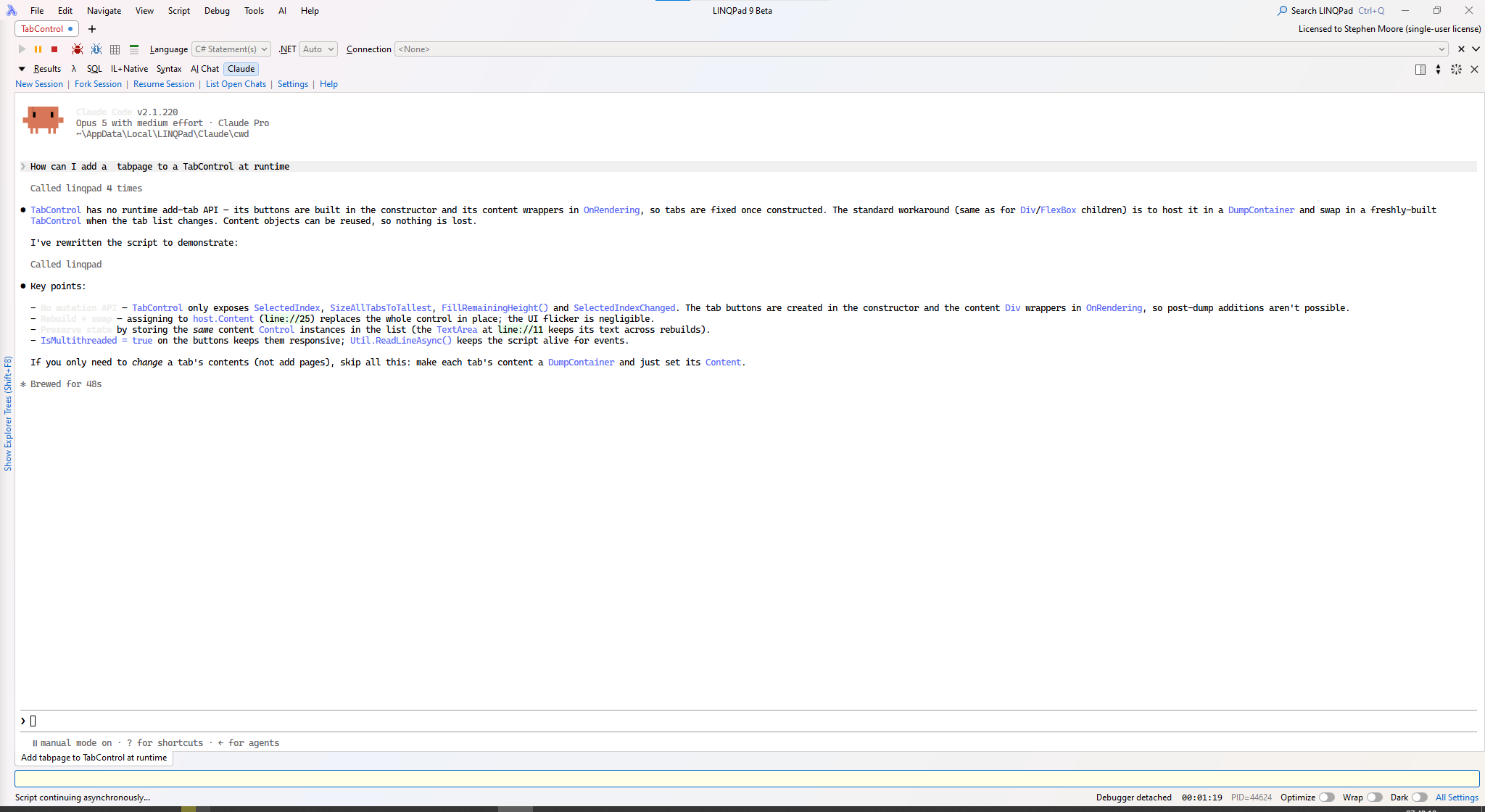
-
I seem to remember you're running Windows 10?
If so, this will almost certainly be the cause. Windows 10's ConPTY can't represent bold, so it re-encodes it without regard for light themes.
I'll look into whether a safe workaround is possible.
-
I see you have fixed this in Version 9.10.13 which is certainly much more readable.
Screenshot of 9.10.13 beside 9.10.12
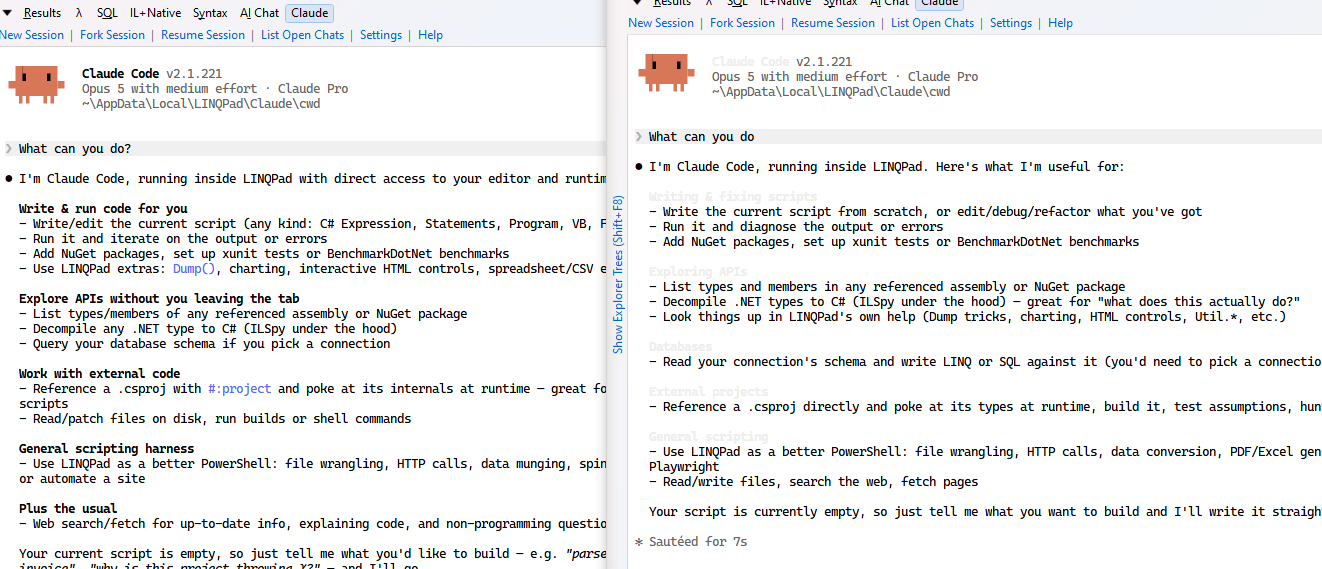
Thanks again.
-
Terrific - thanks for the heads-up.
