Feature Request: Font Settings for Code Completion / Hint Tooltips

Hi Joe,
I'm on Windows 11, using LINQPad 9.10.1 beta. It seems the Global Font Size is currently the only way to change the font size for code completion and hint tooltips. When I adjust it to make the tooltips readable, all other UI fonts become too large. It would be great to have an independent font size option specifically for these popups.
Also, the default font face doesn't render Chinese characters well — some glyphs even fail to display entirely. It would be helpful if I could choose a CJK-friendly typeface (e.g., Microsoft YaHei or Noto Sans CJK) for these tooltips.
Thanks for considering!
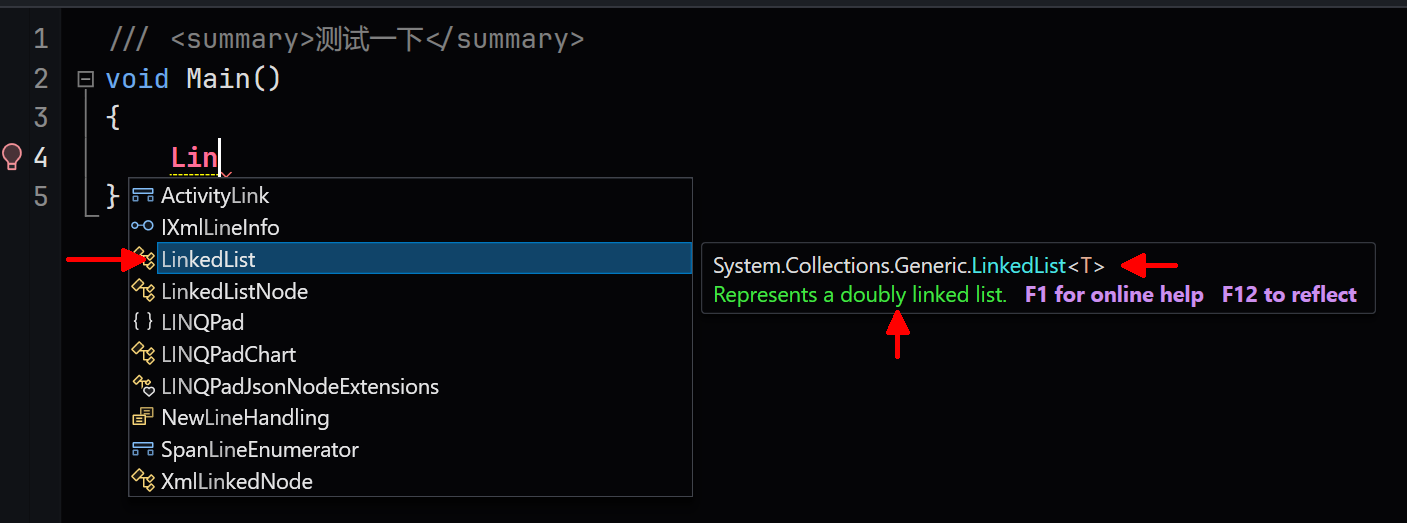
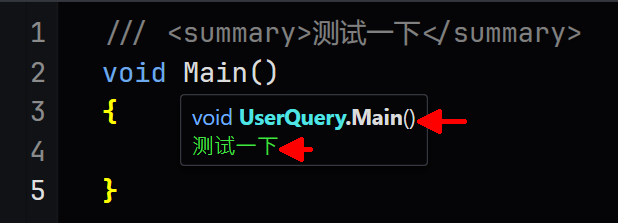
Comments
-
Font-size scaling for autocompletion and tooltips hasn't been implemented in the low-DPI renderer. This looks like an omission; I'll get onto it.
-
9.10.2 now honors the editor zoom level for completions and tooltips on low-DPI screens.
-
Thanks for the quick response — glad to hear v9.10.2 will bring zoom-level support to completions and tooltips. Looking forward to it, and hoping full font customization (fontsize, fontface, etc.) might be on the table in the future!
-
Trying this in 9.10.3 it the tooltip now appears to be larger than the editor text (this is at an editor zoom of 123%:
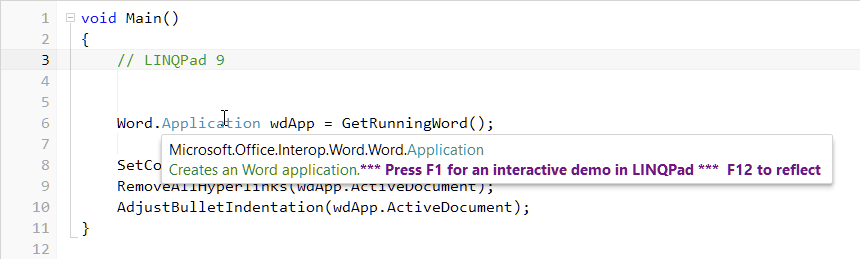
Is that intentional? If it is, it would be great to have a tooltip factor setting somewhere so, for example I could set it to say 0.8?
-
That looks like a low-DPI rounding artifact. It needs to drop one point size in that scenario to look correct.
Let me know whether you're happy with how it looks in today's build.
-
Yes that's perfect (in 9.10.4) - thank you!

