Extremely laggy text input on LinqPad 9

Since upgrading to LinqPad 9 I've been having extremely poor performance when entering text even for the simplest scripts. Additionally, the CPU goes up to about 10% for LinqPad (with an overall CPU usage of 15%, so NOT under any real load).
Has anybody else experienced this? Is there some setting I can change to improve the performance?
(I've got a video clip of it in action, but I don't seem to be able to post it)
Comments
-
Looks like it wouldn't accept the .mp4 file, but here's a zipped version.
-
Found this other thread that recommended internal profiling, so here's a profile of the issue occurring and then also a profile of LinqPad8 which doesn't show the issue.
-
The render thread / DWM composition path on that machine is pathologically slow at window-level updates.
A few questions:
- Is this a local session or remote (RDP/Citrix/etc)?
- What the display adapter shows in Device Manager/dxdiag? Does updating your GPU drivers help?
- Does the lag disappear with just a single monitor connected?
- Does the lag scale with LINQPad's window size?
- Has GPU acceleration been disabled, and if so, does it help to re-enable it?
The difference with LINQPad 8 will most likely be that LINQPad 8 used Windows Forms (Win32) to render the editor rather than WPF, for which there exists a different set of conditions that affect performance.
-
- This is on an RDP connection to a remote VM rendering to my 3 local monitors.
- Display Adapter shows "Microsoft Remote Display Adapter", I believe the drivers are reasonably up to date.
- Behavior is definitely better when RDPing in with a single monitor.
- I would say that yes it definitely feels like the lag is better when the window is smaller.
- Acceleration is currently enabled.
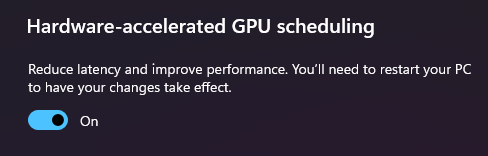
A bit of additional context. I remote into a VM from home (where I have 3 monitors) and from work (where I have 2 monitors). From home, the behavior is definitely worst which makes sense, but even from the office where I'm still RDPing into a VM it's noticeably poor when using the 2 monitor RDP connection.
-
Try the 9.10.10 beta:
https://www.linqpad.net/linqpad9.aspx#betaIf it doesn't improve performance, go to Settings and set RDP GPU acceleration to ON.
If it still doesn't improve performance, it might be that your network lacks bandwidth - is there anything you can do to improve this?
-
Anecdotally, that seems to drastically improve performance (keeping the RDP GPU setting in Auto). I'll keep an eye on it and let you know if I run into any other problems.
Thanks for the speedy update!
