Problem with Claude prompt entry

Since I started using Claude Code in LINQPad, I've been seeing strange behaviour of the prompt editor as I type the prompt.
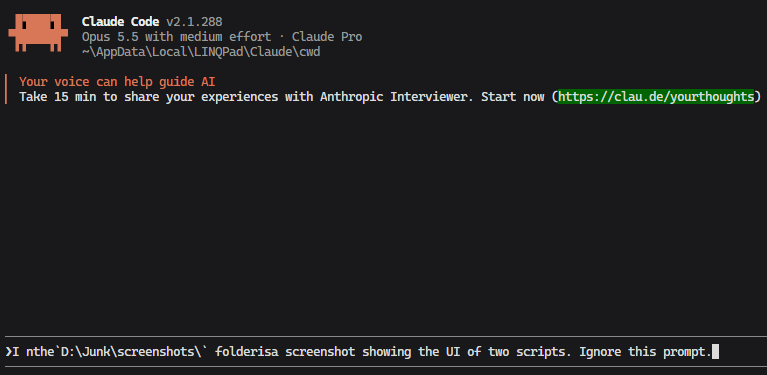
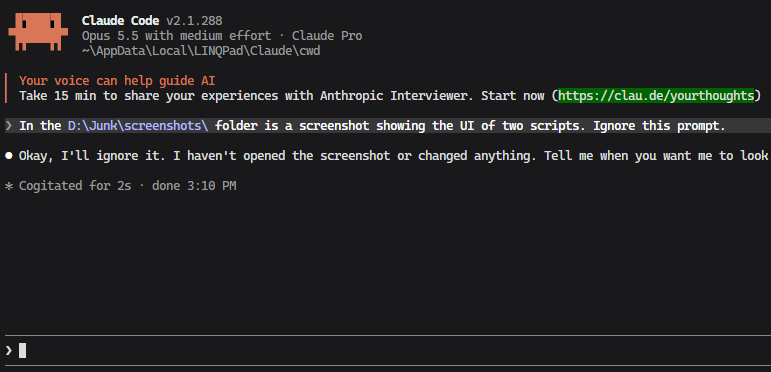
The first screenshot shows what this looks like. It is erratic and the exact behaviour can't be duplicated but what happens most of the time is that the first character moves left against the > leaving space before the rest of the first work. Then, as I type spaces are not always displayed. This seems to happen less when I type fast and the space is more likely not to display if I pause slightly before typing the space and the next word. This is purely a display problem. As the second screenshot shows, once I press enter, the prompt is displayed above exactly as it was typed. This happens only with Claude Code in LINQPad; when running Claude Code in a PowerShell console in Windows Terminal it behaves as one would expect.
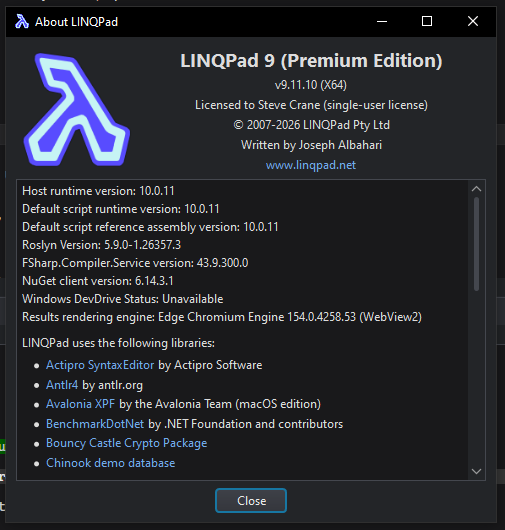
This is on Windows 10 Version 22H2 (OS Build 19045.7725) and here is the about box showing LINQPad version info. Note that LINQPad just updated but the problem existed before the update and persists after it.
Comments
-
I see this as well and I'm also using Windows 10. Asked claude to do a little analysis and this is it's suggestion.
Possible cause: the LINQPad folder doesn't contain its own conpty.dll/OpenConsole.exe, so I think it uses the ConPTY built into Windows. On Windows 10 that's very old and has known cursor-tracking bugs with partial line redraws.
Windows Terminal ships its own up-to-date ConPTY, which would explain why the same Claude Code session works properly there. Shipping the Microsoft.Windows.Console.ConPTY package with LINQPad might fix it on Windows 10.Likely cause: Windows 10's old built-in console layer
- LINQPad shows Claude Code in an XTerm.js terminal inside WebView2. To connect a console program like Claude Code to that terminal, a Windows app normally uses ConPTY, Windows' pseudo-console layer. ConPTY converts the program's output into the escape sequences the terminal draws.
- LINQPad doesn't ship its own copy of ConPTY. I found no conpty.dll or OpenConsole.exe in C:\bin\LinqPad\LINQPad9, so it must use the one built into Windows. On Windows 10 that version is old (conhost.exe 10.0.19041.1), and Windows 10 no longer gets console fixes.
- Windows Terminal brings its own up-to-date ConPTY (OpenConsole.exe) instead of using the Windows one.
Old ConPTY versions are known to get cursor position wrong when a program redraws part of a line, which is what Claude Code's prompt box does on each keystroke. That fits:
- Display only: the text sent is correct, only the screen is wrong.
- The first character jumping left against >: the cursor is one column off.
- Worse after a pause, better when typing fast: each pause lets the prompt box redraw fully, and that's when ConPTY gets the position wrong.
- Fixed by a redraw: Ctrl+L makes Claude Code repaint the whole screen.
What LINQPad could do
LINQPad could ship its own ConPTY, as Windows Terminal and VS Code do. Microsoft publishes it as the Microsoft.Windows.Console.ConPTY NuGet package. Only Joe Albahari can confirm how LINQPad actually starts the terminal, so the report should present this as a suggestion rather than a diagnosis.
-
Thanks for the detailed explanation.
I notice a second problem. Once the text in the Claude pane grows beyond the size of the pane, it can't be scrolled with the mouse wheel as it can in Windows Terminal.
-
How long do you plan to continue using Windows 10?
Extended support ends in one week's time. No more security updates.
-
Extended support ends in one week's time.
ESU ends on 12 October, 2027.
-
OK - I'll look into it.
-
9.12.1 has the custom ConPTY - let me know if this fixes your issue.
Note that the custom ConPTY will fire only for Win10 X64; wrappers for X86 and ARM64 have not been included.
-
Looks good for me. I didn't get any spaces/visual glitches.
No scrollbar appears, but scrolling does work using the mouse wheel and using PgUp/PgDn and Ctrl-Home and Ctrl-End jumps to the very start/end.

